
How It Works
One Place for Your Church's Financial Year
Plan events, build the budget, approve it, keep track as the year goes, and remember what everything really cost, all in words anyone on your team can follow.
This isn't accounting software
Your books stay the official record of what was spent. Much Entrusted answers the questions around them: what an event will cost before you commit, whether the year is on track while it runs, and what everything really cost once it's over. It checks itself against your books as it goes.
The Year, Start to Finish
Five Things, in the Order a Church Does Them
- 1
Plan Each Event
Costs, registration tiers, discounts, and scholarships. The church's share updates as you type, with the price that would cover it and what happens if more or fewer people come.
- 2
Build the Budget
Each ministry proposes the budget lines it's responsible for, starting from last year's real costs and this year's forecast. Events roll in on their own.
- 3
Approve It
Each leader's budget goes to the person they report to, then on up to a final vote by your committee or congregation. After that, any change to an approved figure is recorded with a reason.
In the beta, one sign-in can step into each seat, so you can try the whole route yourself. Each person gets their own login at launch.
- 4
Track the Year
Import your transactions from the books. A short tag in the memo files a charge or a deposit to its event by itself, and month-end catches the rest. One forecast shows where the year will land.
- 5
Close and Remember
When an event is over, close its books. What it really cost, and the notes you leave, are waiting when next year's version is planned.
“By wisdom a house is built, and by understanding it is established.”
From a Single Event to the Annual Budget
Event Calculator
Price With Confidence, Not Guesswork
Tiers, early-bird and sibling discounts, per-person and fixed costs, scholarships, a cushion for surprises. The church's share updates as you type.
- The price per participant that covers costs, calculated for you
- See how the numbers shift if turnout runs high or low
- Actuals compared against the plan when it's over
Actuals & Roll-Forward
Next Year Starts Where This Year Ended
When the event is done, each category shows what your books actually charged to it beside what you planned. Roll the event forward and next year opens with those real numbers already in place, so the next person plans from what happened, not from what anyone remembers.
- Every line starts from what it really cost, not last year's estimate
- Food that came to $41 a camper last year starts next year's plan at $41 a camper, however many sign up
Annual Budget
One Number Your Leadership Can Trust
It walks you through next year's plan. Events add themselves in, direct costs sit beside them, and the whole thing tracks against the budget your leadership approved, with a plain sentence explaining the math.
- Lock in the approved budget and track against it all year
- Per-ministry budgets with over / on-track status
- An event that makes money is shown on its own, never used to hide what another costs
Funds & Projects
Money Given for a Purpose Stays With It
A designated fund shows what's in it, what's already promised, and what's still free to commit. Each project is approved from a fund, its charges file to it the way an event's do, and money coming back, like an insurance check, counts too.
- See what the next request can have before anyone says yes
- Change orders recorded beside the original approval
- A board packet, with notes on the charges that need explaining
Proposal Packet
Walk In With the Answer
One click builds a print-ready packet: a proposal before the event, a recap after. What families pay, where every dollar goes, what the church covers, and a line for sign-off.
- Proposal and recap versions, chosen automatically
- Add a cover note; show or hide sections for whoever signs off
- Export to PDF from the browser
Reports
Know If It's Working, Year Over Year
Roll an event forward each year and its years line up by themselves, even if you rename it: the church's share, attendance, and cost per person across years. Finished events show what really happened, and this year's show the plan.
- Compare any two events side by side
- An event-year summary by month and event type
- CSV and Excel exports for your own spreadsheets
“Whoever can be trusted with very little can also be trusted with much.”
The Very Little
- Roster with who's paid and who still owes
- Scholarships and discounts priced in, on the events that have them
- Version history and undo on every event
- Notes for next year on every repeat event
- Approvals that follow your org chart (in the beta, one sign-in steps into each seat)
Works Beside Your Books
Your Accounting System Keeps the Record. We Keep Up With It.
It doesn't connect to your accounting software directly. Once a month, it takes three steps:
- 1
Export
From QuickBooks, Aplos, your bank, or whatever the office runs, export the month's transactions as a CSV file. Nothing here changes your books.
- 2
Import
Drop the file in. Charges on your budget lines count toward them by their account code, and a short tag in a memo, like “Camp26: Cabin rental: deposit”, files a charge to its event and category. Money coming in works the same way.
- 3
Review
Anything that didn't file itself waits in one short list at month-end, with a suggestion where there's a good one. Then compare the month's total with your books and sign it off.
Questions about setup, old transactions, or what happens to your beta data? Read the FAQ.
Easy to Read in Light or Dark
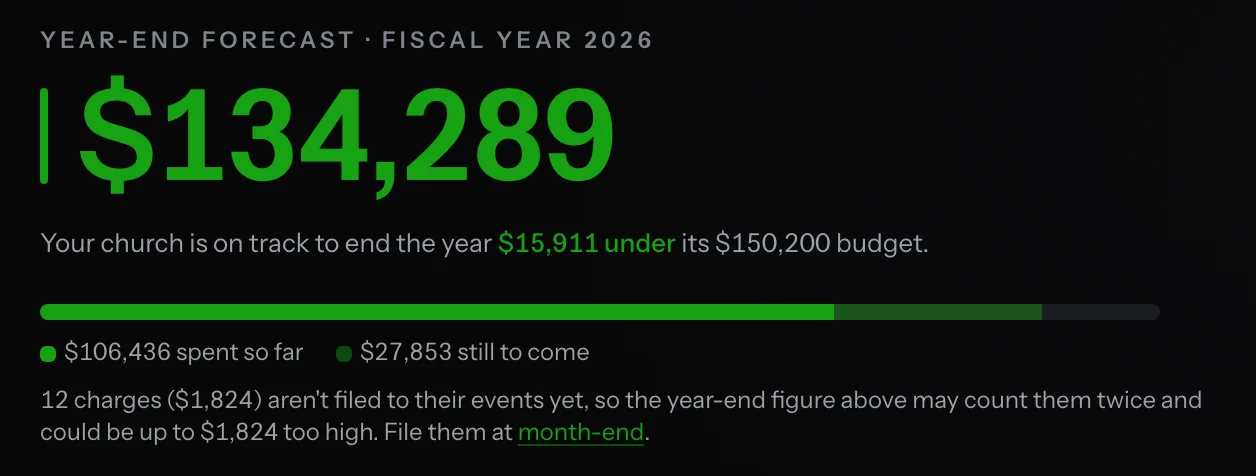
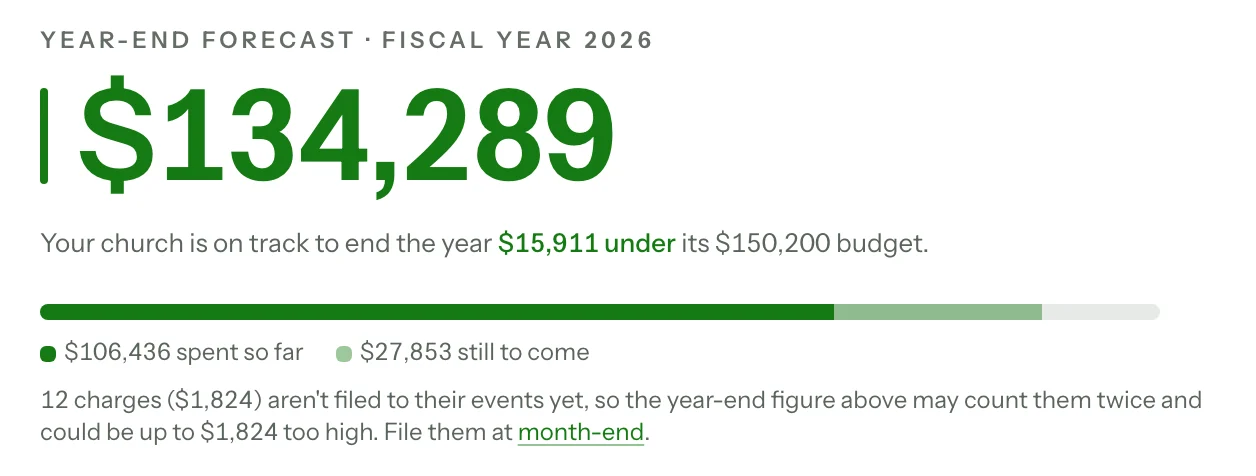
Whatever your team prefers, the numbers are easy to read. Drag the handle to compare.
Help Your Church Steward Well
Much Entrusted is in a closed beta. Join the wait-list and we'll write to you when there's room.
Already using it? Sign in